Tom's desk had a system. He was sure of it. The important papers were in the pile on the left. The urgent ones were in the pile on the right. Pens lived... somewhere. Every morning started with a five-minute excavation before actual work could begin, and every video call started with a frantic shove of clutter out of frame.
Desk clutter is rarely about laziness. It is about friction: when putting something away takes more effort than leaving it out, it stays out. Good organizers win by making the tidy option the easy option.
What actually works
Give everything a visible home. The core principle: a place for everything, and everything visible or one motion away. Desktop organizers with open compartments beat lidded boxes for daily tools — if you cannot see it, you will not use it, and you will buy a duplicate.
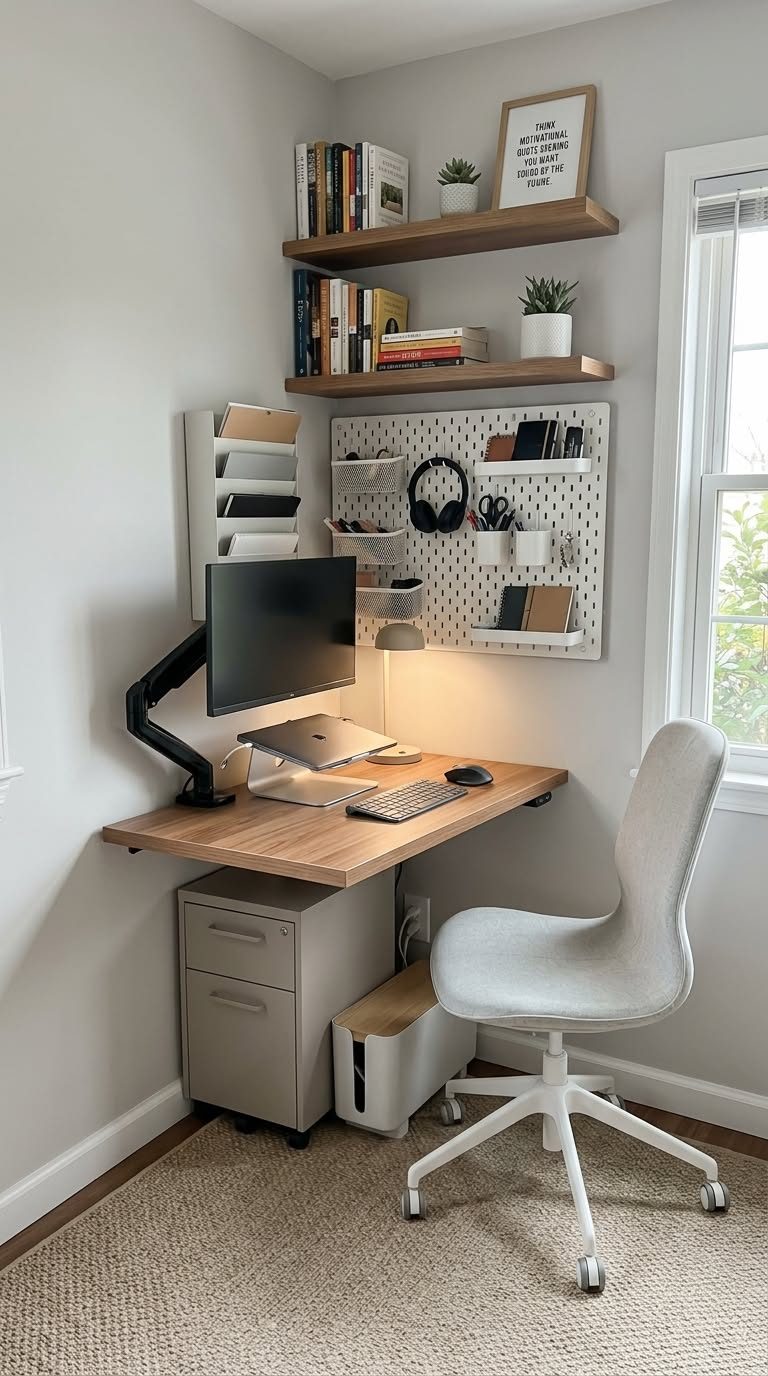
Go vertical. Desk surface is precious; air is free. Monitor stands with storage, vertical file sorters, and wall-mounted shelves multiply usable space without expanding the footprint.
Tame the cables. Cables are half of visual clutter. A cable box for the power strip plus an under-desk tray for excess length transforms the look of a setup in twenty minutes.
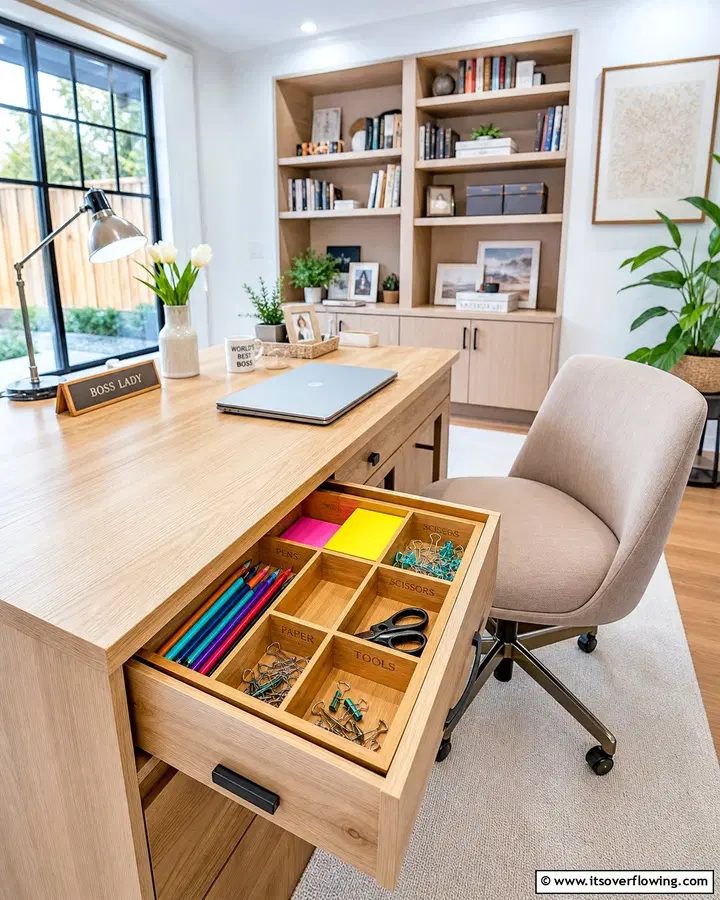
Contain the drawer. Desk drawers without dividers become junk drawers within a week. Interlocking trays are cheap and turn chaos into compartments.
The organizer audit
Before buying anything, empty your desk completely and sort everything into three piles: daily tools (pen, notebook, charger), weekly items (stapler, envelopes, reference docs), and archive-or-trash. Daily tools earn desktop space. Weekly items go in drawers. The third pile leaves the room. Most people discover they need half the organizers they assumed — and that the real problem was accumulation, not storage.
Organize by zone, not by item
The most effective desk setups divide the surface into zones. Zone one is the immediate work area: keyboard, mouse, notebook, water — nothing else. Zone two is arm's reach: the desktop organizer with pens, the phone stand, the file sorter with active projects. Zone three is everything else, and it belongs in drawers, on shelves, or on the wall. When a new item arrives on your desk, ask which zone it belongs in. If the answer is none, it does not live on the desk. This mental model does more than any single product because it turns every future decision into a habit.
The weekly reset
Even the best system drifts. Papers accumulate, pens multiply, and the cable you neatly routed finds its way back onto the floor. Schedule a ten-minute Friday reset: file or recycle every paper, return every tool to its home, wipe the surface. Ten minutes weekly prevents the slow slide back to excavation mornings. Pair it with something you already do — the reset happens right after you shut the laptop for the week, before the weekend starts.
Common mistakes
Buying organizers before auditing is the big one — you end up with beautiful containers full of things you should have thrown away. Second: choosing style over access. A gorgeous lidded box for your daily pens means you will stop using the pens. Third: the cable blind spot. People organize every paper clip and ignore the rat's nest behind the monitor, which is the first thing anyone sees.
Frequently Asked Questions
How do I keep my desk clear long-term? The two-minute rule: at day's end, spend two minutes returning everything to its home. Organizers make this fast; without homes for things, it never happens.
Are expensive organizers worth it? For high-touch items (monitor stand, cable management), yes — you interact with them daily. For drawer trays and pen cups, cheap works fine.
What is the best first organizer to buy? A monitor stand with storage. It fixes ergonomics and clutter in one purchase by lifting the screen and creating hidden storage underneath.
How do I hide cables in a rental? Adhesive cable clips along the desk's back edge, a cable box for the power strip, and a fabric cable sleeve for the run to the wall. All reversible, no drilling.
Tom did the audit on a Sunday, bought a monitor stand and a cable box, and threw away two grocery bags of dead pens and obsolete cables. His mornings now start with coffee, not excavation.
Our Top Picks
SimpleHouseware Mesh Desk Organizer
The classic mesh desktop organizer with compartments for pens, phones, and papers — boring and perfect.
- Everything visible at a glance
- Sturdy steel mesh
- Collects dust in the mesh
Bamboo Monitor Stand with Storage
A monitor riser with two drawers and side cubbies that lifts the screen and hides the clutter underneath.
- Raises monitor to eye level
- Drawers swallow small items
- Fixed height — check your ergonomics
D-Line Cable Management Box
A lidded box that swallows power strips and chargers, turning cable spaghetti into one clean line.
- Hides the ugliest part of any desk
- Fire-resistant material
- Large bricks may not fit inside
mDesign Plastic Drawer Organizer Trays Set
Interlocking trays that turn a junk drawer into a proper home for pens, clips, and batteries.
- Modular — configure to your drawer
- Easy to clean
- Measure your drawer depth first
PAG Desktop File Organizer
A vertical file sorter that keeps active projects upright and visible instead of stacked and forgotten.
- Vertical storage saves desk space
- Keeps projects visible
- Holds letter size only
Satechi Aluminum Monitor Stand Hub
A premium aluminum stand with built-in USB-C hub — raises the monitor and docks the laptop in one move.
- Built-in ports reduce dongles
- Matches MacBook aesthetics
- Premium price for a stand
KableRack Under-Desk Cable Tray
A steel mesh tray that screws under the desk and holds power strips, bricks, and excess cable off the floor.
- Gets everything off the floor
- Strong steel construction
- Requires screwing into the desk