David bought his office chair the way most people do: he sat in three floor models at a big-box store for thirty seconds each, picked the one that felt fine, and took it home. For the first month, it was fine. By month three, he was standing up every forty minutes to stretch his lower back. By month six, he was pricing out chairs that cost more than his first car payment.
Here is what David learned the expensive way: thirty seconds in a showroom tells you nothing. Comfort in minute one and support in hour six are different things, and back support comes from adjustability, not padding. A chair that feels like a cloud in the store and has no lumbar adjustment will hurt you by Wednesday.
You do not need to spend a fortune to get real back support. You need to know what "lumbar support" actually means, which adjustments matter, and how to spot the difference between engineering and marketing.
What "Lumbar Support" Actually Means
Your lower spine curves inward. A chair supports it only if the backrest pushes gently into that curve when you sit all the way back. There are three levels:
Built-in curve. The backrest is shaped to match a lower back. This works if your torso length matches the chair's design, and does nothing if it does not. It is better than flat, but it is a guess.
Adjustable pad. A separate lumbar pad slides up and down, or in and out, so you can position it exactly where your curve is. This is the feature worth paying for. Bodies vary too much for one fixed shape.
Marketing fluff. The box says "ergonomic lumbar support" and the backrest is flat with a decorative seam. If you cannot see or feel a distinct lumbar mechanism, it is not there.
When shopping online, look for the words "adjustable lumbar" and check customer photos, not just product renders. Real buyers photograph the actual mechanism.
The Adjustments That Matter, in Order
- Seat height. Your feet should rest flat with knees near 90 degrees. Pneumatic height adjustment is standard even on budget chairs. If a chair lacks it, walk away.
- Lumbar position. As above, adjustable beats fixed. This is the single biggest predictor of whether a chair helps back pain.
- Seat depth. You want two to three inches between the seat edge and the back of your knees. Adjustable seat depth is rare under $200, but some chairs offer it, and it matters a lot for shorter and taller people.
- Tilt and tilt lock. A chair that reclines slightly and locks takes pressure off the lower spine. A fixed upright chair forces one posture all day.
- Armrests. Adjustable height is nice; the real test is whether they fit under your desk. Flip-up or removable armrests solve more problems than 4D armrests most people never adjust.
How to Test Fit Without a Showroom
Since most budget chairs are bought online, use measurements. Sit in your current chair and measure your seated hip-to-knee length, then compare it to the seat depth in the specs. Check the weight capacity and the seat width against your body. Read reviews from people who mention their height, and find reviewers close to yours.
When the chair arrives, give it two full workweeks before judging. Your body needs time to adjust away from bad-posture habits. But use the return window deliberately: set a calendar reminder for day 25 of a 30-day return policy, and be honest with yourself at that point.
Common Mistakes
The biggest mistake is buying a gaming chair for office work. Gaming chairs look supportive with their bolsters and wings, but the racing-seat shape forces a rounded posture, the "lumbar pillows" are loose cushions that migrate, and the materials prioritize looks over eight-hour comfort. They are fine for gaming sessions. They are a poor choice for a workday.
The second mistake is assuming more padding equals more support. Thick padding feels great for twenty minutes and bottoms out by hour three. Support comes from shape and adjustability. A firm chair with good lumbar adjustment beats a plush chair without it every time.
The third mistake is skipping the return policy check. Comfort is personal enough that even a well-reviewed chair might not fit you. Never buy a chair you cannot return, and never let the return window expire while you "give it more time."
Frequently Asked Questions
How much should I spend on an office chair for back support? The sweet spot is $150 to $300. Below $150, adjustable lumbar support gets rare. Above $300, you gain refinement and durability more than additional back-health benefit.
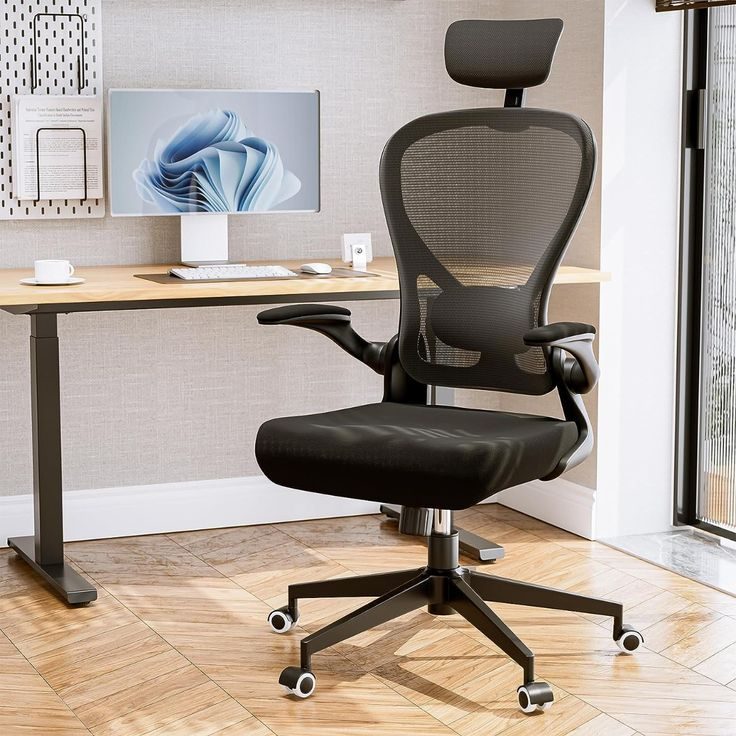
Are mesh backs better than padded backs for back support? Mesh keeps you cooler and tends to come with better-engineered lumbar mechanisms at lower prices. Padded backs feel plusher initially. For actual support, the mechanism matters more than the material.
Can a cheap chair really help back pain? A chair helps back pain only insofar as it lets you sit with a neutral spine. A $180 chair with adjustable lumbar support does that. A $600 chair without it does not. Price and pain relief are not directly linked.
How long should an office chair last? A decent budget chair lasts three to five years of daily use. When the gas cylinder sinks, the padding compresses permanently, or adjustments stop holding, it is time to replace it rather than suffer through.
David kept his big-box chair for a year, then replaced it with a $220 mesh chair with an adjustable lumbar pad. His back pain did not vanish overnight, but the forty-minute stretch breaks stopped within a month. The lesson was not that cheap chairs are bad. It was that the right thirty seconds of research, focused on adjustability instead of first impressions, beats thirty seconds of sitting every time.
Our Top Picks
LumbarPro Mesh Task Chair
A mesh-back task chair with a height-adjustable lumbar pad and synchro-tilt, covering the essentials at a mid-range price.
- Height-adjustable lumbar pad
- Breathable mesh keeps you cool
- Synchro-tilt recline
- Armrests adjust up and down only
BackWell High-Back Executive Chair
A high-back bonded-leather chair with built-in lumbar contouring for people who want executive style with actual back support.
- Full back and headrest coverage
- Thick padded seat
- Classic executive look
- Bonded leather wears faster than mesh or fabric
CoreFit Ergonomic Office Chair
A compact ergonomic chair with an S-shaped backrest and adjustable seat depth, sized well for smaller home offices.
- S-curved backrest fits the spine
- Adjustable seat depth
- Compact footprint
- Max weight capacity is 250 pounds
SitRight Adjustable Desk Chair
A straightforward budget desk chair that gets the fundamentals right: height adjustment, lumbar curve, and tilt lock.
- Genuine lumbar curve in the backrest
- Tilt lock holds recline angle
- Under $150
- Fixed armrests cannot be removed
KneelEase Ergonomic Kneeling Chair
A kneeling chair that shifts weight off the lower back onto the shins. A genuinely different posture option for people whose backs hate sitting.
- Takes pressure off the lumbar spine
- Encourages a more upright posture
- Takes a week or two for knees to adjust
ReclineMax Tilt-Lock Recliner Chair
A premium office chair that reclines deep with a tilt lock and extendable leg rest. For people who want one chair for work and unwinding.
- Deep recline with leg rest for breaks
- Locks at multiple angles
- Bulky; needs more floor space than task chairs